
FBA Dock plans your restock, tracks what goes in each box, prints your labels and turns the shipment into an order file for your own warehouse system, with no Amazon account to connect.
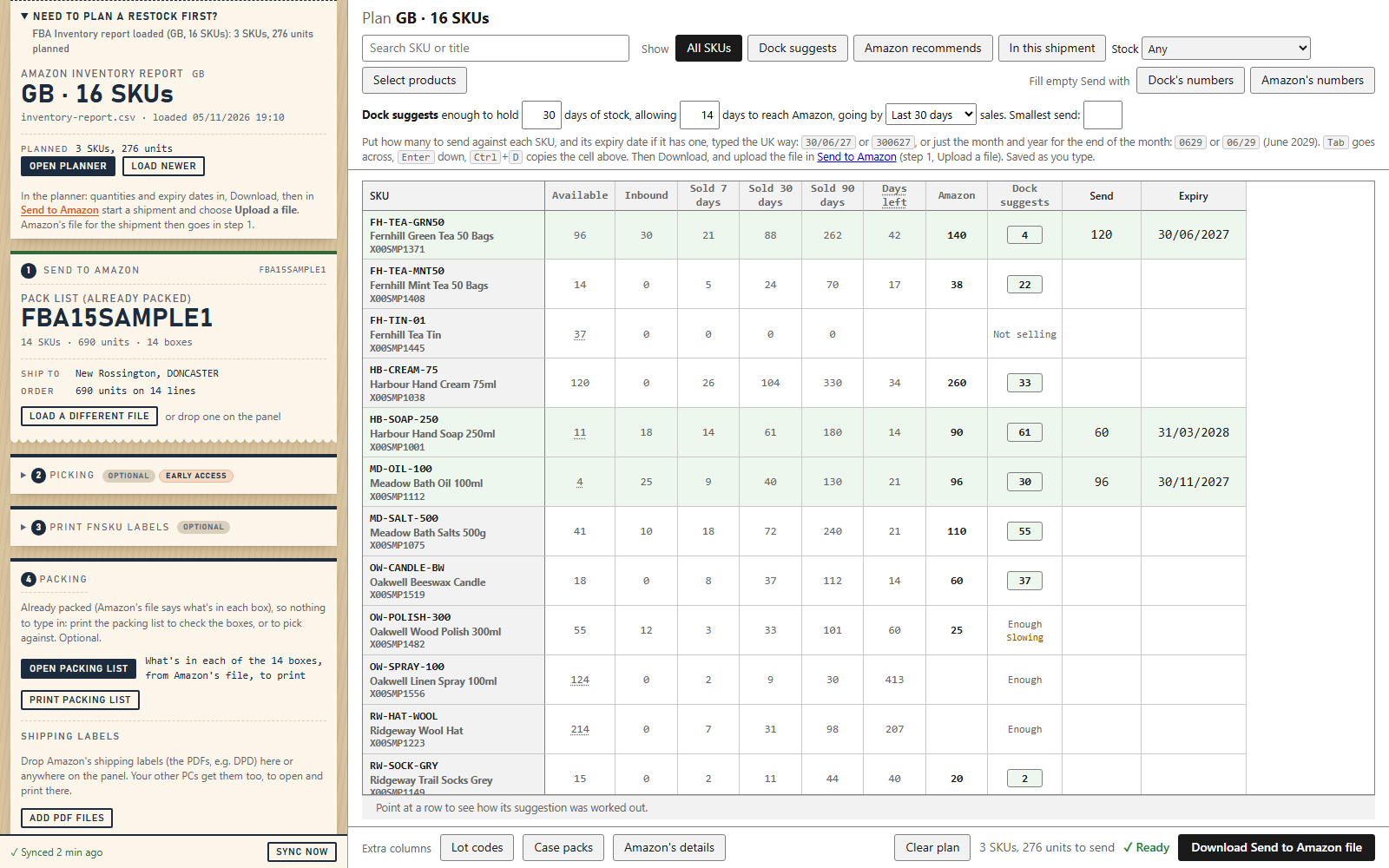
Tap or click the picture to see it full size.
Why it exists
Getting stock into FBA takes a lot of retyping. Quantities and expiry dates go into Send to Amazon SKU by SKU. Box contents go into Amazon’s box file. Labels come from several places. Then, if you run a warehouse system, the same shipment has to come off your stock there too.
FBA Dock keeps that whole run in one place, open beside Seller Central. You give it Amazon’s own files, and it gives you back the files you need to upload.
What it does
- Plans the restock. Drop in Amazon’s restock or FBA inventory report to see sales, stock and days left, with a suggested quantity for each SKU beside Amazon’s own. Enter what you’re sending, with expiry dates and lot codes if you need them, then download the upload file for Send to Amazon.
- Tracks what goes in each box. A packing grid for each pack group shows what’s still to box, and takes each box’s weight and size. There’s a packing sheet to print, too. Already packed? Load the pack list instead, for a list of what’s in each box to print and check against.
- Fills in Amazon’s box file. When everything is packed, your packing goes into the pack group file Amazon gave you, ready to upload.
- Prints your labels. FNSKU labels at your label printer’s size, heavy box labels for boxes over 15 kg, and your carrier’s PDF labels kept with the job.
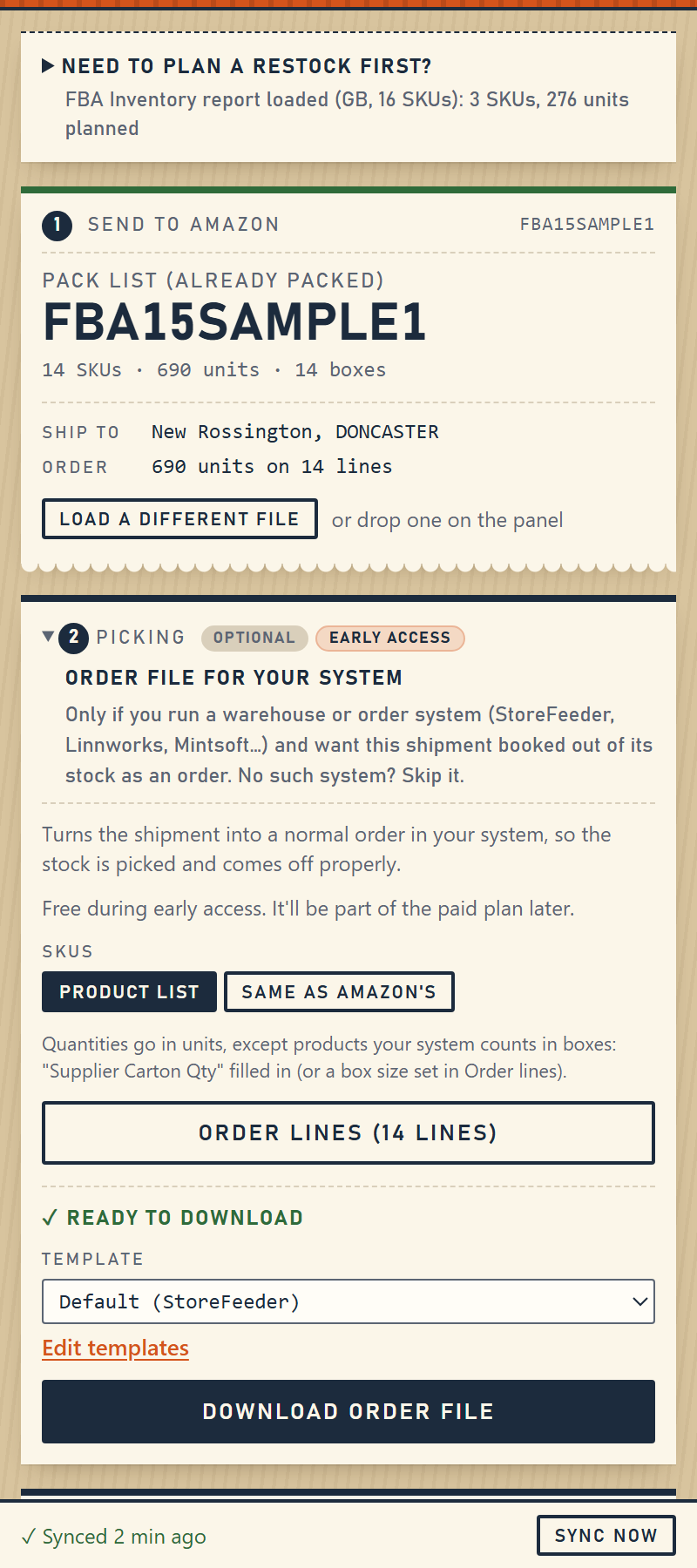
- Makes an order file for your own system. Your SKUs are matched to Amazon’s, so the shipment can be picked and come off your stock like any other order, as one order or one for each pack group.
- Keeps a history. Save a finished job with its files, a reference and notes, so you can find it later.
- Syncs between your PCs, if you want it to. Connect Google Drive, and PCs on the same Google account share the same Dock. Add the shipping labels on one PC and print them on another.
The steps live in the side panel. Work that needs more room, such as the planner and the packing grid, opens in a full browser tab.
No Amazon account to connect
FBA Dock doesn’t sign in to Seller Central, read its pages or use Amazon’s APIs. It only reads the files you choose to give it, and you upload what it makes yourself. There’s no account access to hand over.
Works with your order system
A StoreFeeder template is built in. For any other warehouse or order system that imports orders from a file, give FBA Dock an example file from that system (.csv or .xlsx). It reads the columns and makes a template you can check and change, and you can download a test file to try before using a real shipment.
So far we’ve tested real imports in StoreFeeder. If you try it with another system, tell us how it goes.
Private by design
FBA Dock runs in your own browser, and your work is stored there. Nothing is sent to Portside Commerce. There are no accounts, no servers of ours involved, no analytics and no tracking.
Google Drive sync is the one exception to staying on your computer. It’s optional and off until you connect it. It then keeps a copy in a hidden folder in your own Google Drive, going directly between your browser and Google. FBA Dock can’t see your other Drive files, and we can’t see any of it.
The full detail is in the privacy policy.
Early access
FBA Dock is free during early access, with everything unlocked.
A paid plan will follow, and it’ll cover the order file, order templates, the product list and matching, Google Drive sync and History. Planning, packing, Amazon’s files and labels are planned to stay free. We’ll say what it costs before anything changes.
Browsers
FBA Dock is available for Chrome, from the Chrome Web Store.
Questions
Do I need a warehouse or order system?
No. The order file is an optional step. If you don’t need one, skip it and use the rest.
Does it work outside the UK?
FBA Dock is built around Amazon UK for now. The planner reads the UK rows of Amazon’s reports, and its links go to Seller Central UK. If you ship to another marketplace, email us, as it helps to know.
Does it change anything in Seller Central?
No. It makes files, and you decide what to upload. The same goes for your order system.
What happens if Amazon changes its files?
Amazon does change them, so a change could stop something working. If that happens, tell us and we’ll fix it. FBA Dock already reads both Amazon’s restock report and the FBA inventory report replacing it.
What if I lose my computer?
Without sync, your work is only in that browser. Connect Google Drive sync to keep a copy in your own Google account, or use Download a copy to save a file yourself. That file doesn’t include History or shipping labels.
Support
Email hello@portside-commerce.com and a person will read it.
FBA Dock is built by Portside Commerce Ltd and is not affiliated with, endorsed by, or connected to Amazon, StoreFeeder or any other system it works with. They are named here only to describe what FBA Dock works with.